
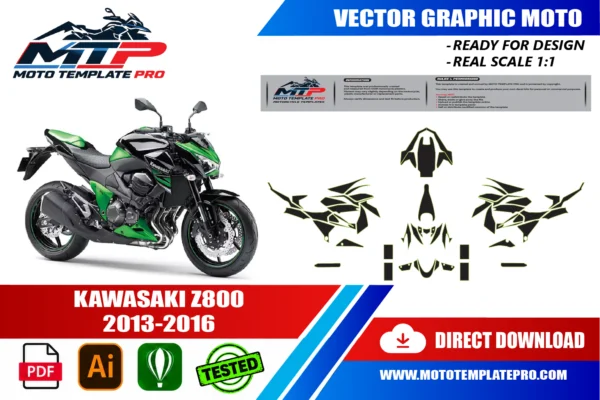


This Kawasaki Z800 2013-2016 vector template reproduces the Kawasaki Z800 2013-2016 at real scale (1:1) as an editable vector file.
Table of Contents
Kawasaki Z800 2013-2016 Vector Template: Overview
Use this Kawasaki Z800 2013-2016 vector template as an accurate base for decal kits, vinyl wraps, custom liveries and other graphics on the Kawasaki Z800 2013-2016. It is made for graphic designers, wrap installers and sticker manufacturers.
The Kawasaki Z800 2013-2016 is the naked four-cylinder that brought Kawasaki’s Sugomi styling to the middleweight class: an 806 cc inline-four wrapped in sharp, hunched-forward bodywork that looks ready to pounce even when parked. For designers, wrap installers and sticker makers it is a gift, because its creases and angles give a livery plenty to work with.
Roadster bodywork is a set of separate islands: a small nose fairing, a sculpted tank with side shrouds, radiator covers and a slim tail. A good Z800 design treats each island as one part of the same aggressive sentence instead of a separate sticker.
This template gives you editable vector outlines at real 1:1 scale, delivered in AI, PDF and CorelDRAW with layers grouped by part. It is a starting point for your own artwork, not a finished print file. Use it to draw a decal kit or a full wrap for the Kawasaki Z800 2013-2016 with confidence.

The template is provided as an editable vector file, compatible with Adobe Illustrator, PDF and CorelDRAW. It is a starting point for your own design work rather than a finished, ready-to-print graphic: a precise outline of the panels that you can use to position decals, plan a wrap layout or prepare a sticker kit at the correct scale. For background on why vector files are the standard for wrap and decal production, see the Adobe comparison of raster and vector formats.
The Kawasaki Z800 2013-2016 story: from Z750 to Sugomi roadster
The Kawasaki Z800 2013-2016 replaced the Z750 in Kawasaki’s naked line-up. The inline-four grew from 748 cc to 806 cc, the tubular steel backbone frame was kept, and the bike received a much more aggressive face. It was shown in late 2012, around the Intermot show, as a 2013 model; we did not verify the exact unveiling date, so treat that as approximate. Production ran until 2016, and the Z900 took over for 2017.
Sugomi, a Japanese word Kawasaki uses for an intense, menacing presence, is the key to the look. On this bike it shows as a low, forward-leaning stance, a small nose fairing over the headlight, a split instrument display and lines that converge toward the front wheel.
Little change across the run
One long-term review states that the Z800 was never significantly updated during its life. For a designer that is good news: the main shapes of a 2013 bike should be close to those of a 2016 bike. What changed more often was paint. The 2016 European colour chart, for example, lists black combinations with flat ebony or pearl stardust white, while we did not verify the earlier schemes one by one.
The model years in the name follow the template listing, so always compare your own bike with the outline before printing. This history also matters on the used market: many of these bikes are now more than a decade old, with faded or scratched plastics, and a fresh decal kit is an affordable way to renew them.
Panel by panel on the Kawasaki Z800 2013-2016
On the Kawasaki Z800 2013-2016 the paintwork is concentrated on a few pieces, so each one matters. The fuel tank is the biggest canvas, with sculpted tank shrouds on either side that sweep the eye forward. Above the headlight sits the small nose fairing, a styling piece rather than a real windscreen.
Below the tank, the radiator shrouds and side covers frame the engine, and the front fender sits over the wheel. At the back, the seat cowl or tail section rises in a short, pointed shape. Which exact pieces your bike has depends on the version and on what has been replaced, so we describe them in plain words and ask you to check.
- Broad, curved faces: tank top, tail section, outer faces of the side covers.
- Angular, creased faces: tank shrouds, radiator shrouds, nose fairing.
- Small parts: front fender, instrument surround and little covers, usually left plain or lightly accented.
Because the file layers are grouped by part, you can hide everything except the tank shrouds and work on the pair as a mirrored set. Remember that left and right sides of a naked bike are not always perfectly symmetrical, since the exhaust and chain change what surrounds each panel. Use the outlines as a map of contours, not as a promise.
Vocabulary helps when you brief a printer or a cutter: call the side covers of the tank shrouds, the small cowl over the lamp the nose fairing, and the rear bodywork the tail section.
Sugomi livery ideas for the Kawasaki Z800 2013-2016
The best Z800 liveries exaggerate what the bike already does: lean forward. On the Kawasaki Z800 2013-2016, diagonal cuts that start at the nose fairing, run over the tank shrouds and finish near the tail make the machine look longer and more predatory. Think of claw marks, fractured shards and blade shapes rather than soft curves.
Keep the sharpest contrast at the front, where the viewer’s eye lands first, and let the tail stay quieter so the design does not turn chaotic.
Three aggressive directions
- Shard pattern: a field of triangular facets in two greys, with one acid accent on the shrouds.
- Hazard stripe: narrow diagonal bars on the radiator shrouds only, leaving the tank dark.
- Blackout with a flash: satin black everywhere and one thin neon line tracing the shroud crease.
Lime green on black is an obvious nod to the brand, but orange, white on grey or a cold electric blue can look just as fierce on a Sugomi shape. If you borrow brand colours, leave out logos and wordmarks. Test every idea on a photo of the real bike, because a sharp pattern that looks perfect flat can lose its edge when a tank curves away from the viewer.
Remember the two viewing distances: three metres at a standstill, where details are read, and ten metres in motion, where only bold shapes survive.
Turning the Kawasaki Z800 2013-2016 outline into a cut file
Open the template at 100 percent and keep the outline group locked. In the Kawasaki Z800 2013-2016 file each part sits in its own grouped layer, so you can build artwork for one piece at a time and bring the others back when you check how the design flows from nose to tail.
Create your artwork on layers above the outlines and extend it past the contour so the film can wrap around the edge. Many installers use roughly 5 to 10 mm, less on flat areas, but follow your installer’s advice and the shape of the part itself. Put the cut line on a dedicated layer, preferably as a spot colour, and add registration marks outside the design.
Sharp Sugomi shapes need clean nodes. Avoid tiny slivers and hairline points: a plotter blade cannot cut them reliably, and a point thinner than a couple of millimetres is the first thing to lift. Merge, simplify and round any point that would be fragile.
Convert text to outlines, work in the colour profile your print shop gives you, and print one panel on paper at 1:1 before touching vinyl. Tape it to the bike, compare the contour with the real part and fix what differs. Finally, export one file per part, named by part and version, and keep an untouched master with all layers for future reprints.
Cast film, laminate and heat on a creased roadster body
Cast vinyl is the safer choice for the tank, shrouds and nose fairing because it follows compound curves and tends to keep its shape. Calendered film is stiffer and cheaper, and can work on flatter surfaces such as a side cover or a straight stripe. Always check the manufacturer’s datasheet for any film you use on the Kawasaki Z800 2013-2016.
A clear laminate protects printed ink from fuel splashes, UV light and washing. Gloss deepens colour, matte hides small flaws and fits a blackout theme, satin sits in between. Use the same laminate across the whole kit so that all the panels match.
Clean the surface thoroughly and remove wax and polish before application. Press the film from the centre outward with a squeegee, use gentle heat only to relax the film over curves, and avoid overstretching printed areas because the colours thin out. Sharp creases are where film wants to bridge and lift, so work it into them gradually and cut relief where needed.
Textured or unpainted plastic holds less reliably than smooth paint, so test a small hidden area first. Round the corners of small pieces, allow the adhesive a few days to settle before pressure washing, and keep vinyl away from parts that become very hot.
Five mistakes that blunt an aggressive Z800 livery
Aggressive designs fail in predictable ways. On a Kawasaki Z800 2013-2016 these are the mistakes worth avoiding.
- Too many ideas: shards, flames, numbers and sponsor blocks on one bike look noisy. Pick one theme and repeat it.
- Hairline details: thin points and fine lines disappear or lift on creased surfaces.
- Lettering over creases: text that crosses a sharp shroud edge distorts, so keep it on calmer faces.
- Scaling at print time: fit to page ruins the 1:1 scale. Print at 100 percent.
- Skipping the dry fit: a paper plot taped on the bike reveals gaps and mismatches before you waste film.
Another frequent error is ignoring the gaps between panels. A diagonal that crosses a gap looks broken when panels flex or shift, so end or restart lines on each piece with intention.
Finally, keep a small repair stock. Print a second copy of the parts most exposed to scuffs, such as the tank edges near the rider’s knees and the front fender. A glove or zip mark can be repaired invisibly if you still have matching film and the original file.
Z800 or Z800e? Checking the Kawasaki Z800 2013-2016 before you order
Before ordering, decide which bike you actually have. The standard Z800 and the Z800e share the same basic look, but the Z800e is a lower-power version aimed at riders with restricted licences, with simpler suspension adjustment. Sources disagree on ABS availability, which seems to vary by market and option package, so we cannot say which version of the Kawasaki Z800 2013-2016 carries it in your country. Check the actual bike.
Beyond the variant, look at the front: the nose fairing, the headlight and the tank shrouds. Compare the tail section and side covers with the outlines in the preview images. We did not verify differences between each model year, and one long-term review says the bike was not significantly updated, so large bodywork changes are unlikely, but small details and paint schemes do vary.
Neighbouring models are different bikes. The Z750 that came before and the Z900 that followed from 2017 should not be assumed to match this outline.
Compatibility can vary with exact variant, year and aftermarket parts such as a tail tidy, a fly screen or tank pads. Compare the outline with the real panels before printing, and send us photos of your Kawasaki Z800 2013-2016 if you are unsure.
How This Template Is Built
This Kawasaki Z800 2013-2016 vector template is rebuilt as a fully editable vector outline from the real panel proportions of the Kawasaki Z800 2013-2016, rather than a rough tracing or a stretched photo. Working at true 1:1 scale means printers and installers can output panels straight from the file without rescaling, which keeps stripes, sponsor logos and pinstripes aligned exactly where they were designed.
Because the panel outlines are kept as separate, editable shapes, you can turn individual sections on or off while you design and export only the panels you actually need for production. On a vehicle of this kind (naked or roadster motorcycle), the typical panel groups include the headlight cowl, tank shrouds and covers, side panels, front fender and tail section. Before printing, always measure a panel on the real vehicle against the file, since small production differences can happen and a quick check avoids a costly reprint.
What You Can Use This Template For
- Naked bike decal kits
- Tank and shroud graphics
- Tail and side panel designs
- Full or partial vinyl wrap layouts
- Custom liveries
This Kawasaki Z800 2013-2016 vector template suits riders and decal shops planning a tank, shroud and tail graphics kit, wrap shops quoting jobs sight-unseen, and sticker manufacturers who need a reliable base file instead of starting from photographs. Because the panel outlines are separated rather than merged into one flattened shape, you can isolate a single panel and export only what you need, which saves time when a project only touches part of the vehicle.

Files Included and How to Use Them
After purchase you get an instant digital download of the Kawasaki Z800 2013-2016 vector template in three formats. A typical workflow takes only a few steps:
- Download the file from your account or order email right after payment.
- Open the AI, PDF or CorelDRAW version in your vector software.
- Hide the panels you do not need and place your graphics, logos and colors on the rest.
- Print one test panel at 1:1 and check it against the real vehicle.
- Export the final artwork for your printer or cutter.
Printing, Scale and File Notes
Before you print this Kawasaki Z800 2013-2016 vector template, remember that it is built at real 1:1 scale, so the safest workflow is to print a single test panel first and lay it against the actual Kawasaki Z800 2013-2016 before committing to a full print run. A short test print is cheap insurance against a wasted roll of vinyl, especially around curved sections.
The vector layers are grouped by panel, which keeps the file manageable if you only need a subset of the panels, useful for a partial wrap, a single panel graphic or a small decal pack. If you run into a fitment question that is not covered here, reach out before you print. We would rather answer a quick question in advance than have you reprint a panel.
Also in our catalog: Kawasaki Z1000 2010-2013 Vector Template, Kawasaki Z900 2025-2026 Vector Template, Kawasaki Z750 2007-2014 Vector Template, Kawasaki Z1000 2014-2023 Vector Template, Kawasaki Z900 2017-2019 Vector Template, Kawasaki Z900 2020-2024 Vector Template.
Browse all Kawasaki vector templates.
Moto Template Pro is an independent design resource and is not affiliated with, endorsed by, or sponsored by Kawasaki or any manufacturer.
Which model years does this Kawasaki Z800 2013-2016 vector template cover?
This template is built specifically for the Kawasaki Z800 2013-2016.
Does the template for the Kawasaki Z800 2013-2016 also cover the Z800e?
We cannot promise that. The Z800e is a lower-power version of the same naked bike, with simpler suspension adjustment, and we did not verify panel by panel whether any bodywork differs. Compare the outline with your real panels before printing, and send us photos of your bike if anything looks doubtful.
How do I keep a Sugomi-style livery on the Kawasaki Z800 2013-2016 from looking messy?
Choose one theme, such as shards or diagonal bars, and repeat it at the same angle on every panel. Keep the busiest area at the nose and tank shrouds, leave the tail calmer and limit yourself to two or three colours. On the Kawasaki Z800 2013-2016, restraint makes the aggressive shapes look intentional.
Where can I put lettering or a number on the Kawasaki Z800 2013-2016?
The tail section and the flatter part of the side covers are the safest spots, because they have fewer creases. Avoid placing letters across a sharp shroud edge, where they distort. Centre a number optically rather than geometrically, and always test the placement with a paper print taped to the Kawasaki Z800 2013-2016.
Which vinyl should I use on the tank shrouds of the Kawasaki Z800 2013-2016?
Cast vinyl with a protective laminate is usually the best choice, since the shrouds combine curves and sharp creases. Start from the centre, use gentle heat to relax the film and avoid stretching printed colours until they thin. Keep calendered film for flat areas, follow the datasheet and test on a hidden area first.
How much extra film should I leave around the Kawasaki Z800 2013-2016 pieces?
Many installers leave roughly 5 to 10 mm beyond the contour on parts that wrap around an edge, and less on flat areas. It depends on the part, the film and the installer, so ask yours. Put the cut line on its own layer and keep the original contour layers untouched underneath.
Is this template compatible with other models?
No. Each model and generation has different bodywork, so this template is specific to this platform and differs from every other template in our catalog.
What file formats are included?
The template is provided in Adobe Illustrator, PDF and CorelDRAW, all as editable vector layers rather than a flattened image.
How is the file delivered?
As an instant digital download available immediately after purchase, with no physical items shipped and no waiting on a production schedule.
Is this an official Kawasaki product?
No. Moto Template Pro is an independent business, not affiliated with Kawasaki.
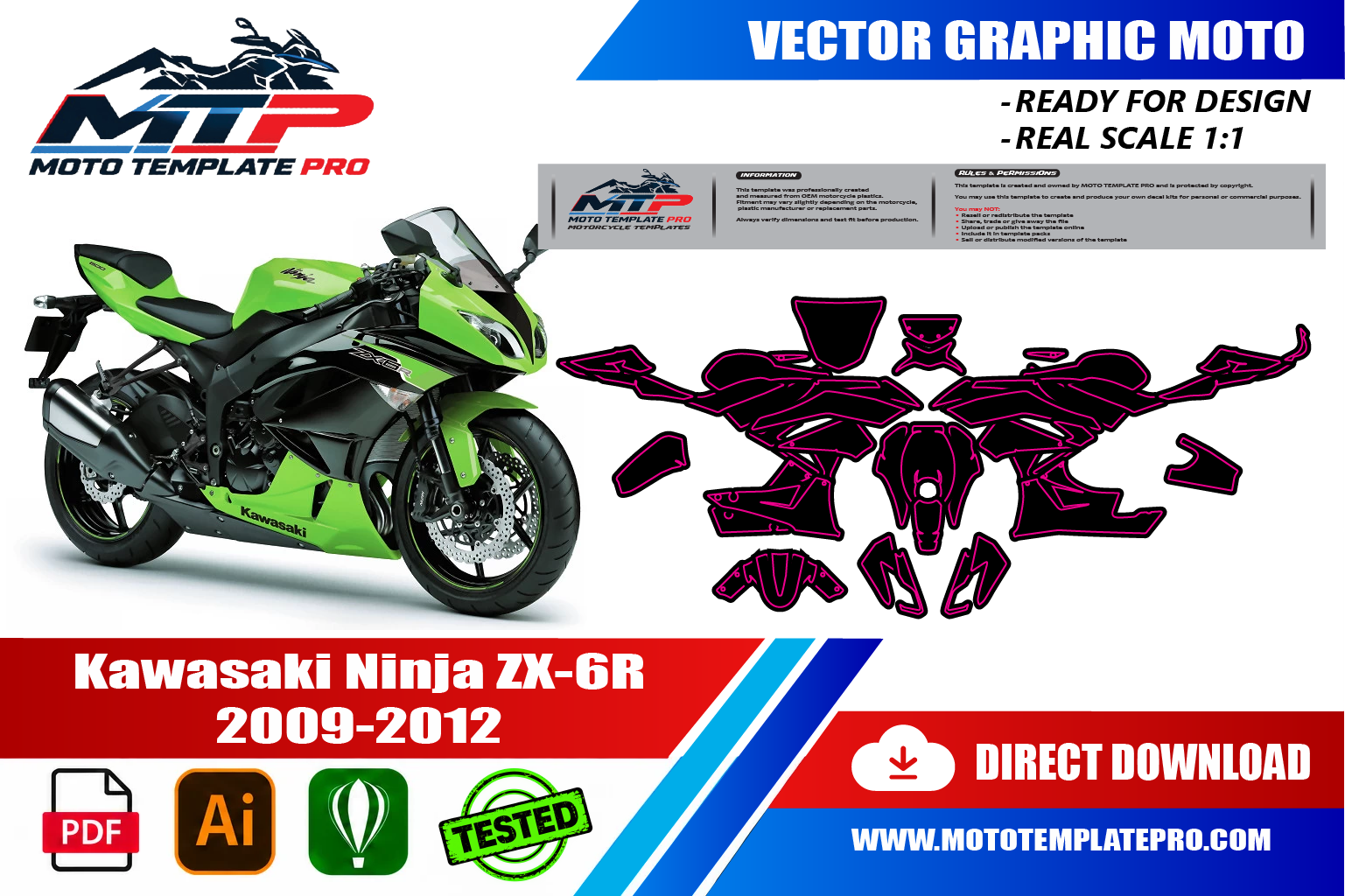
Kawasaki Ninja ZX-6R 2009-2012 Vector Template

Kawasaki Ninja ZX-6R 636 2013-2018 Vector Template
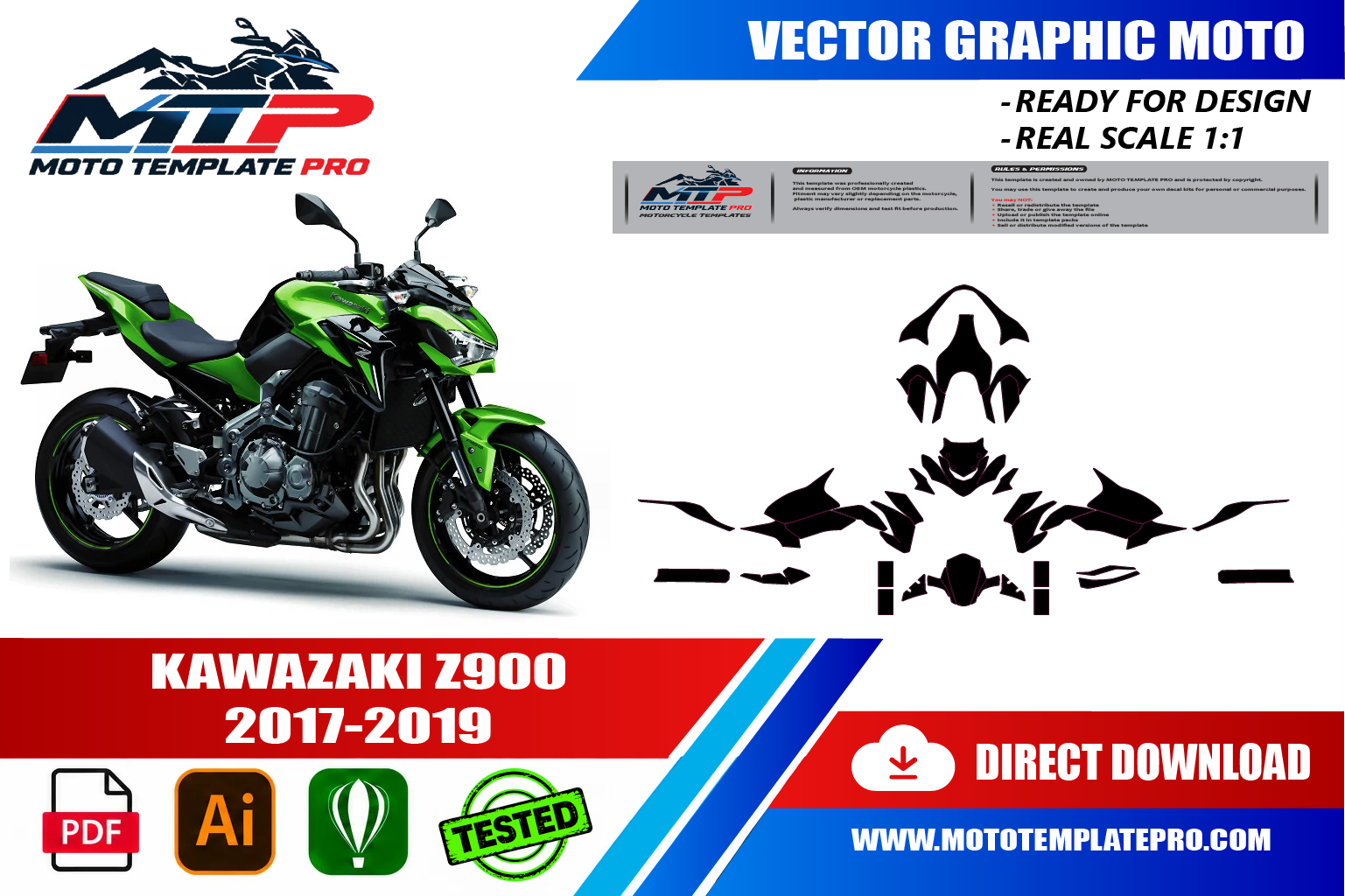
Kawasaki Z900 2017-2019 Vector Template

Kawasaki ZX-10R 2011-2015 Vector Template


Reviews
There are no reviews yet.