
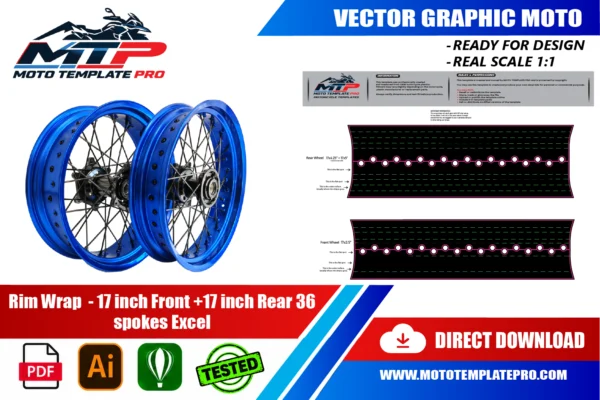


This Excel 36 Spoke 17 Inch Rim Wrap vector template reproduces the Excel 36 Spoke 17 Inch Rim Wrap at real scale (1:1) as an editable vector file.
Table of Contents
Excel 36 Spoke 17 Inch Rim Wrap Vector Template: Overview
Use this Excel 36 Spoke 17 Inch Rim Wrap vector template as an accurate base for decal kits, vinyl wraps, custom liveries and other graphics on the Excel 36 Spoke 17 Inch Rim Wrap. It is made for graphic designers, wrap installers and sticker manufacturers.
The Excel 36 Spoke 17 Inch Rim Wrap template is a vector pack for one specific job: designing the adhesive decorative bands that sit on the rim of a spoked motorcycle wheel. It is drawn for 17 inch rims, front and rear, with 36 spokes, of the type made by Excel. There is no bodywork involved here, only the wheel and the stripe that dresses it.
Rim wraps are one of the cheapest ways to change how a motorcycle looks. A bold wheel stripe can match a tank livery, sharpen a black-on-black build or add a flash of colour to a plain bike. Because the wheels turn, the effect is also dynamic, and the pattern blurs into a coloured ring at speed.
This page explains the logic of a rim wrap for designers, installers and sticker makers: how the strips are divided, why curvature matters, where the valve fits in, and how the material survives knocks and cleaning chemicals. You will find practical advice for the file, the print and the application, plus a measuring checklist before you order.
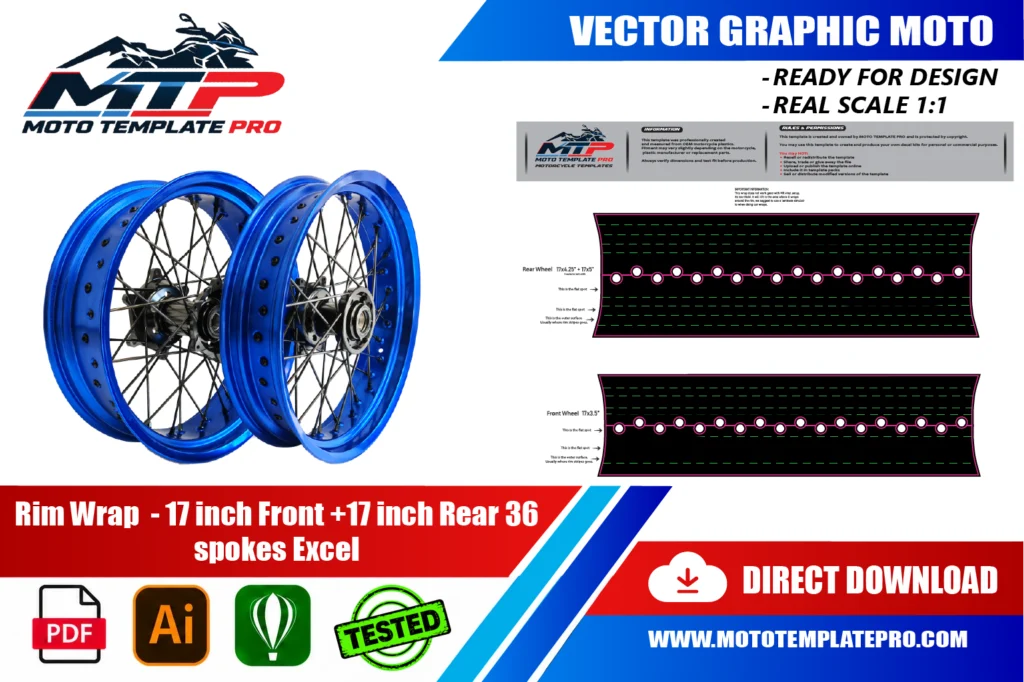
The template is provided as an editable vector file, compatible with Adobe Illustrator, PDF and CorelDRAW. It is a starting point for your own design work rather than a finished, ready-to-print graphic: a precise outline of the panels that you can use to position decals, plan a wrap layout or prepare a sticker kit at the correct scale. For background on why vector files are the standard for wrap and decal production, see the Adobe comparison of raster and vector formats.
What an Excel 36 Spoke 17 Inch Rim Wrap really is
A rim wrap is a set of thin adhesive strips applied to the outer face of a wheel rim. Unlike a tank graphic, it follows a narrow band that is curved in two directions: around the wheel, and across the lip of the rim. The Excel 36 Spoke 17 Inch Rim Wrap is designed around that geometry, so every strip is cut as an arc.
Excel is a manufacturer of motorcycle rims, and its name is found on many spoked and other wheels. The practical consequence is that the label on your rim is the best clue to what you own. This product assumes a 17 inch diameter and 36 spokes, which is a common layout on road, sport and supermoto motorcycles, but you should always confirm on your own wheels.
Why 17 inches matters: the nominal diameter is 431.8 mm, so the circumference at the tyre seat is about 1.36 metres. The decorative edge sits a little outside that line, so each full ring of strips is longer than 1.36 metres once you add the lip. The file is built to real scale so that you do not need to calculate the arcs yourself.
Stripes on rims have a long history in racing and custom culture, because they let a rider mark a wheel without repainting it. Modern adhesive films made the idea accessible to anyone with a plotter.
For sticker makers, a rim wrap is also a repeatable product. Once the geometry of one Excel 36 Spoke 17 Inch Rim Wrap is solved, you can offer colour variants, name lettering or paired sets with little extra work, as long as each variant keeps the segment layout and the cutting margins intact.
Anatomy of a spoked wheel and where the Excel 36 Spoke 17 Inch Rim Wrap sits
Good vocabulary prevents costly misunderstandings, so here are the terms. The rim is the metal ring that holds the tyre. Its outer edge, the rim lip or flange, keeps the tyre bead in place. The spokes link the rim to the hub, and each spoke ends in a nipple that tensions it. The valve pokes through a hole in the rim.
The Excel 36 Spoke 17 Inch Rim Wrap works on the visible side face of the rim, the narrow band between the tyre and the spokes. On a 36 spoke wheel, that band is interrupted visually by nipples and spokes, so the design must tolerate being seen through a pattern of shadows. Strong simple shapes survive this much better than fine detail.
How the strips are divided
A ring is usually divided into several segments, because a single strip around the full circumference would be nearly impossible to apply without wrinkles. The exact number depends on the design and the rim, and a seam is planned so that it can sit at a discreet point, often near the valve.
Our template provides editable vector outlines of the rim wrap pieces at real 1:1 scale, with layers grouped by piece, in AI, PDF and CorelDRAW. It is a starting point for your artwork, not a finished image ready for printing.
Design ideas for an Excel 36 Spoke 17 Inch Rim Wrap
A thin strip is a small canvas, so the most successful designs are bold. A solid colour in a contrasting hue, such as gold on a black rim or white on a dark red bike, is instantly readable. If the bike has a livery, take one accent colour from the tank and repeat it on the wheel with an Excel 36 Spoke 17 Inch Rim Wrap.
Two-tone designs, where the inner and outer edges carry different colours, give depth. A tapered stripe that is thicker near the valve and thinner opposite it feels dynamic, but it demands accurate alignment. Dashed segments, chevrons and arrows can suggest forward motion, as long as the pattern repeats cleanly around the circle.
Think about how the pattern will look when the wheel spins. Fine text or small icons become unreadable, while long arcs create a pleasant ring. If you add lettering, keep it short and place it where a standing bike shows it, usually the upper right of the front wheel.
Contrast against the rim finish matters more than the colour name. On a polished or anodised silver rim, a dark wrap reads sharply; on a black rim, light or metallic films stand out. Test the combination by holding a printed sample beside the wheel before you commit, because rim sheen changes how every colour looks on an Excel 36 Spoke 17 Inch Rim Wrap.
- Front and rear can match exactly or be mirrored in colour order.
- Reflective film adds visibility at night, if your supplier offers it.
- Match the wrap with the colour of brake calipers or the chain, not only the tank.
Segments, curvature and valve alignment: preparing the Excel 36 Spoke 17 Inch Rim Wrap file
Open the template at 100 percent and check that every arc keeps its shape when you resize artwork inside it. Build the design inside each contour and extend it a little beyond the edge as a cutting margin, which helps the vinyl wrap around the lip. Keep the cutting line on its own layer so you can edit colours safely.
Decide first where the valve sits, because it is the anchor for the whole wheel. On the Excel 36 Spoke 17 Inch Rim Wrap, place the first seam or a clear gap at the valve, then lay the other segments evenly around from that point. Mark that location on the printed backing so that the installer starts in the right place.
Curvature explains most failures. A strip applied to the lip bends along two directions, so a straight stripe drawn on a flat page will be forced to stretch. Keep the artwork simple, avoid sharp internal corners and add small alignment ticks on the edge of each segment to guide placement.
For colour, use your print shop’s profile and test a small strip, as solid colours can look different on narrow vinyl than on the screen.
Materials, adhesion and cleaning products for an Excel 36 Spoke 17 Inch Rim Wrap
A wheel is one of the harshest places for a decal. It faces stones, brake dust, chain lube, tyre-fitting levers and wheel cleaners. For an Excel 36 Spoke 17 Inch Rim Wrap, choose a thin, flexible cast film that follows the curvature of the lip, and protect it with a clear laminate so ink is not exposed to chemicals.
Adhesion starts with cleaning. Remove brake dust and chain lube with a degreaser, then finish with isopropyl alcohol and let the surface dry. If the rim has a corrosion bloom or a flaking finish, film will not hold. Work in a warm, dust-free room, since cold metal reduces tack.
Apply from the valve outward, pressing the film into the lip with a soft squeegee and gentle heat to relax it. Seal the ends by pressing them down firmly. After fitting, give the adhesive a day or two before riding in rain, and avoid a pressure washer pointed at an edge.
When a tyre is replaced later, the bead area can be marked by tools, so protect the strip with tape or plan to renew it.
Think of the strip as a wear part. Even a well applied Excel 36 Spoke 17 Inch Rim Wrap can be scuffed by gravel, chain slap or a slipped tyre lever, so keep a spare set of printed segments. Because the file is vector, reprinting the same design later is simple, provided you save the final artwork and the cut line together.
Mistakes to avoid when fitting an Excel 36 Spoke 17 Inch Rim Wrap
Rim wraps look easy, and that is where the trouble starts. Most problems can be prevented by slowing down at the beginning.
- Wrapping a dirty rim. Brake dust and lube leave an invisible film that kills adhesion.
- Stretching a flat strip. Overstretching thins the vinyl, so colour fades and edges lift.
- Ignoring the valve. A hole in the wrong place makes a segment unusable.
- Uneven spacing. A gap that grows around the wheel shows up immediately when it rotates.
- Using a front pattern on a wider rear rim without checking. Widths may differ between wheels.
- Skipping the laminate. Cleaning sprays can soften or stain unprotected ink.
Another common slip is applying the strips with the tyre fully inflated and the wheel on the ground. Lift the wheel or the bike so you can rotate it, and work in short sections so that you never lose alignment.
Removal deserves care too. When you replace an old set before fitting a new Excel 36 Spoke 17 Inch Rim Wrap, warm the film gently, peel at a low angle and clean the adhesive residue with a suitable remover. Rushing scratches the rim and weakens the grip of the replacement.
Measuring your rim before you order an Excel 36 Spoke 17 Inch Rim Wrap
The product name tells you the essentials, but your bike may still hide differences. Check that both wheels are 17 inch, count the spokes, and look for the Excel marking on the rim. Some bikes have different front and rear rim widths, so measure each wheel separately.
- Measure the visible band between the tyre and the spoke nipples with a ruler.
- Check the lip profile, which can be flat, rounded or stepped.
- Confirm the valve position and whether a valve cap or sensor sits near the lip.
- Note whether the rim is anodised, painted or polished, which changes preparation.
If you are unsure, take close photos of both wheels with a ruler beside them and ask before ordering. We make no promise that a wrap will fit every wheel that carries the same spoke count, since profiles and widths vary. Treat the file as a base, and test the printed strip on the real rim.
How This Template Is Built
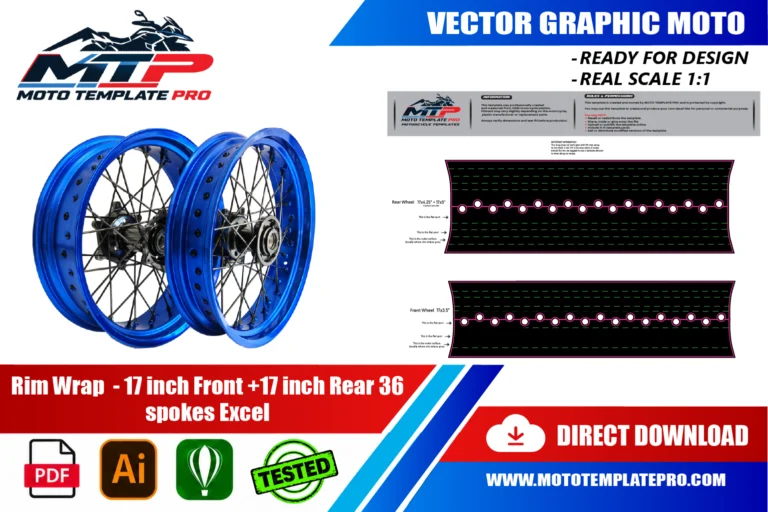
This Excel 36 Spoke 17 Inch Rim Wrap vector template is rebuilt as a fully editable vector outline from the real panel proportions of the Excel 36 Spoke 17 Inch Rim Wrap, rather than a rough tracing or a stretched photo. Working at true 1:1 scale means printers and installers can output panels straight from the file without rescaling, which keeps stripes, sponsor logos and pinstripes aligned exactly where they were designed.
Because the panel outlines are kept as separate, editable shapes, you can turn individual sections on or off while you design and export only the panels you actually need for production. On a vehicle of this kind (motorcycle with spoked wheels), the typical panel groups include the front and rear rim wrap strips cut to follow the rim edge. Before printing, always measure a panel on the real vehicle against the file, since small production differences can happen and a quick check avoids a costly reprint.
What You Can Use This Template For
- Rim wrap and rim stripe kits
- Front and rear wheel graphics
- Color-matched wheel accents
- Custom liveries
- Small decal packs
This Excel 36 Spoke 17 Inch Rim Wrap vector template suits riders and decal shops planning rim stripes for spoked wheels, wrap shops quoting jobs sight-unseen, and sticker manufacturers who need a reliable base file instead of starting from photographs. Because the panel outlines are separated rather than merged into one flattened shape, you can isolate a single panel and export only what you need, which saves time when a project only touches part of the vehicle.
Files Included and How to Use Them
After purchase you get an instant digital download of the Excel 36 Spoke 17 Inch Rim Wrap vector template in three formats. A typical workflow takes only a few steps:
- Download the file from your account or order email right after payment.
- Open the AI, PDF or CorelDRAW version in your vector software.
- Hide the panels you do not need and place your graphics, logos and colors on the rest.
- Print one test panel at 1:1 and check it against the real vehicle.
- Export the final artwork for your printer or cutter.
Printing, Scale and File Notes
Before you print this Excel 36 Spoke 17 Inch Rim Wrap vector template, remember that it is built at real 1:1 scale, so the safest workflow is to print a single test panel first and lay it against the actual Excel 36 Spoke 17 Inch Rim Wrap before committing to a full print run. A short test print is cheap insurance against a wasted roll of vinyl, especially around curved sections.
The vector layers are grouped by panel, which keeps the file manageable if you only need a subset of the panels, useful for a partial wrap, a single panel graphic or a small decal pack. If you run into a fitment question that is not covered here, reach out before you print. We would rather answer a quick question in advance than have you reprint a panel.
Also in our catalog: KTM 690 Husqvarna 701 17 Inch Rim Wrap Vector Template, Husqvarna TE FE TC FC 2019-2023 Vector Template, Husqvarna TE FE 2016-2019 Vector Template, Husqvarna Svartpilen Vitpilen 2021-2023 Vector Template, Husqvarna TC FC FS 2014-2015 TE FE 2016 Vector Template, Husqvarna Vitpilen 125 401 2024-2025 Vector Template.
Browse all Husqvarna vector templates.
Moto Template Pro is an independent design resource and is not affiliated with, endorsed by, or sponsored by Husqvarna or any manufacturer.
Which model years does this Excel 36 Spoke 17 Inch Rim Wrap vector template cover?
This template is built specifically for the Excel 36 Spoke 17 Inch Rim Wrap.
Where should I put the valve cut-out on an Excel 36 Spoke 17 Inch Rim Wrap?
Use the valve as your anchor. Put a seam or a clear gap at the valve position and lay the other segments evenly from there. Mark the valve on the backing before you print, and cut the opening slightly larger than the valve stem so the film never rubs it or lifts around it.
How do I avoid wrinkles on the curved lip with an Excel 36 Spoke 17 Inch Rim Wrap?
Work in short sections and relax the film with gentle heat rather than pulling. Press the vinyl into the lip with a soft squeegee, starting at the centre of each segment. Wrinkles usually mean the film was stretched flat then forced to curve. Lift gently, warm and reposition instead of pressing harder.
Do I fit an Excel 36 Spoke 17 Inch Rim Wrap with the tyre on or off the rim?
Most installers apply the strips with the tyre still on, using masking tape to protect the rubber. This is quicker, but the bead edge needs care. Removing the tyre gives cleaner wrapping around the lip, yet it means a tyre fitting. Choose according to your tools and whether a tyre change is due.
Can I use one Excel 36 Spoke 17 Inch Rim Wrap design for front and rear wheels with different widths?
Yes for the colour scheme, but check the geometry separately. Rear rims are often wider, which can change the visible band and the strip length. Measure each wheel and compare it with the template before duplicating artwork. A repeated pattern may need a small adjustment to look equally balanced on both wheels.
How well does an Excel 36 Spoke 17 Inch Rim Wrap resist chain lube, brake dust and wheel cleaners?
With a clear laminate and sealed edges, it handles normal road use well. Brake dust and lube wipe off a laminated surface, and mild wheel cleaners are generally fine. Avoid aggressive solvents and pressure jets aimed at edges. Heavy knocks from tyre levers can still scratch or tear the film.
Is this template compatible with other models?
No. Each model and generation has different bodywork, so this template is specific to this platform and differs from every other template in our catalog.
What file formats are included?
The template is provided in Adobe Illustrator, PDF and CorelDRAW, all as editable vector layers rather than a flattened image.
How is the file delivered?
As an instant digital download available immediately after purchase, with no physical items shipped and no waiting on a production schedule.
Is this an official Husqvarna product?
No. Moto Template Pro is an independent business, not affiliated with Husqvarna.
Husqvarna Norden 901 2022-2026 Vector Template

Husqvarna Svartpilen Vitpilen 2021-2023 Vector Template

Husqvarna TC FC 125 250 300 450 2025 Vector Template

Husqvarna Vitpilen 125 401 2024-2025 Vector Template


Reviews
There are no reviews yet.